
From custom quotes and online booking, to one-click dispatching and automated job forms—Jobber helps maximize your revenue and get your techs home on time.


Running an HVAC business can be challenging. Between juggling your team and customers, work inefficiencies or disorganized paperwork can turn managing business operations into an overheated mess. Jobber’s HVAC software is your digital toolbox, making daily tasks like scheduling and dispatching jobs, talking to customers, and collecting payments super easy. It’s powerful HVAC field service software that helps you send estimates, schedule installs or repairs, track jobs, and get paid—everything you need to seamlessly manage your HVAC business and grow. With Jobber’s HVAC software, you can say goodbye to the chaos of paperwork, missed appointments, and financial headaches—and truly compete with leading HVAC businesses.
Create, send, and track professional looking estimates from the field, fast. Estimates in Jobber’s HVAC software are professionally designed and interactive, letting your customers add on the services or packages they want and approve the updated total. Once the estimate is approved, you can quickly convert quotes into jobs to be dispatched immediately or scheduled for a later date.
Suggest premium HVAC units or add-ons like maintenance or tune-up packages. Customers can select the options that best fit their needs and watch their estimate total automatically update before they approve.
Keep work moving forward and improve your win-rate by scheduling automated follow-up emails or texts to remind customers of quotes that need their attention.
Win more (and bigger) jobs with consumer-friendly financing, powered by Wisetack. Your customers get the work order they want done now, but pay over time, while you get paid upfront and worry-free.

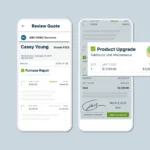
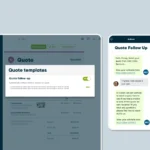

Create, send, and track professional looking estimates from the field, fast. Estimates in Jobber’s HVAC software are professionally designed and interactive, letting your customers add on the services or packages they want and approve the updated total. Once the estimate is approved, you can quickly convert quotes into jobs to be dispatched immediately or scheduled for a later date.
Suggest premium HVAC units or add-ons like maintenance or tune-up packages. Customers can select the options that best fit their needs and watch their estimate total automatically update before they approve.
Keep work moving forward and improve your win-rate by scheduling automated follow-up emails or texts to remind customers of quotes that need their attention.
Win more (and bigger) jobs with consumer-friendly financing, powered by Wisetack. Your customers get the work order they want done now, but pay over time, while you get paid upfront and worry-free.
Create, send, and track professional looking estimates from the field, fast. Estimates in Jobber’s HVAC software are professionally designed and interactive, letting your customers add on the services or packages they want and approve the updated total. Once the estimate is approved, you can quickly convert quotes into jobs to be dispatched immediately or scheduled for a later date.
Suggest premium HVAC units or add-ons like maintenance or tune-up packages. Customers can select the options that best fit their needs and watch their estimate total automatically update before they approve.
Keep work moving forward and improve your win-rate by scheduling automated follow-up emails or texts to remind customers of quotes that need their attention.
Win more (and bigger) jobs with consumer-friendly financing, powered by Wisetack. Your customers get the work order they want done now, but pay over time, while you get paid upfront and worry-free.
Create, send, and track professional looking estimates from the field, fast. Estimates in Jobber’s HVAC software are professionally designed and interactive, letting your customers add on the services or packages they want and approve the updated total. Once the estimate is approved, you can quickly convert quotes into jobs to be dispatched immediately or scheduled for a later date.
Suggest premium HVAC units or add-ons like maintenance or tune-up packages. Customers can select the options that best fit their needs and watch their estimate total automatically update before they approve.
Keep work moving forward and improve your win-rate by scheduling automated follow-up emails or texts to remind customers of quotes that need their attention.
Win more (and bigger) jobs with consumer-friendly financing, powered by Wisetack. Your customers get the work order they want done now, but pay over time, while you get paid upfront and worry-free.
Improve your customer service with professional online experiences and reliable communication to keep work moving from initial estimate to final payment—from the field or in the office.
HVAC service software offers customers 24/7 access to their own online portal where they can request work, approve estimates, check the details of upcoming jobs, and make payments quickly and easily.
HVAC service software offers customers 24/7 access to their own online portal where they can request work, approve estimates, check the details of upcoming jobs, and make payments quickly and easily.
HVAC service software offers customers 24/7 access to their own online portal where they can request work, approve estimates, check the details of upcoming jobs, and make payments quickly and easily.
HVAC service software offers customers 24/7 access to their own online portal where they can request work, approve estimates, check the details of upcoming jobs, and make payments quickly and easily.
HVAC service software offers customers 24/7 access to their own online portal where they can request work, approve estimates, check the details of upcoming jobs, and make payments quickly and easily.
HVAC service software offers customers 24/7 access to their own online portal where they can request work, approve estimates, check the details of upcoming jobs, and make payments quickly and easily.
In less than five minutes, find out where your business stands and where there’s room to grow. Get tailored recommendations based on your size, industry, and goals. Powered by Jobber AI and free for all home service pros.
Jobber saves you time by seamlessly integrating with your favorite apps and software to help you do more with your HVAC business.

Your work is essential to our homes, businesses, and communities—so we’re all in on providing the technology, learning, and support to make sure you win.
Put Jobber to work for you. No credit card required.
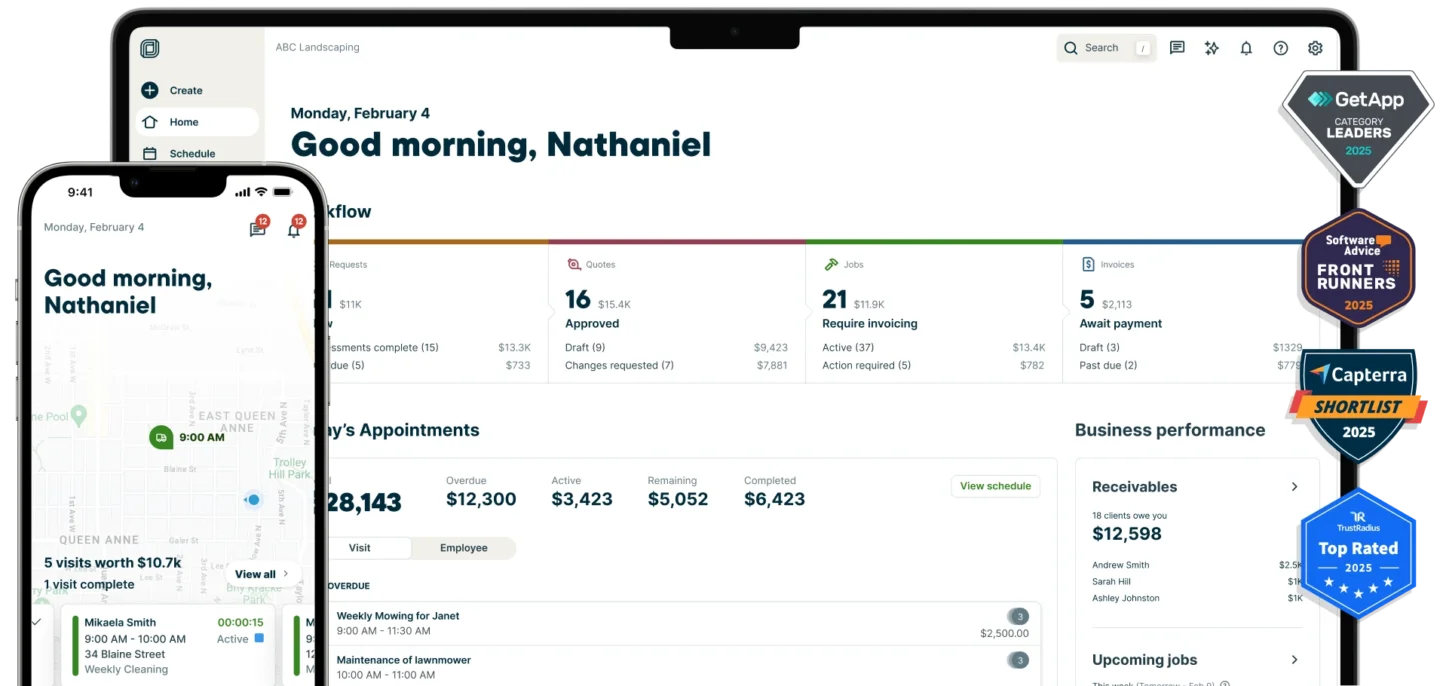
Jobber HVAC field service software provides everything you need to take complete control of your operations and maximize your HVAC business profits. Send fast custom quotes, book new leads, schedule and dispatch jobs, invoice, and get paid—all with one easy-to-use platform. Automate admin work and use your time to focus on keeping your clients comfortable, your team busy, and your business growing.
Here’s how Jobber’s HVAC software helps your business run smoothly for you, your field technicians, and your customers:
Plus, Jobber integrates with your HVAC accounting software, including QuickBooks Online, to sync timesheets for payroll and manage customer, invoice, and payment information.
Plus, Jobber integrates with your HVAC accounting software, including QuickBooks Online, to sync timesheets for payroll and manage customer, invoice, and payment information.
You can manually track annual maintenance for customer’s HVAC equipment with a calendar, or by using a basic spreadsheet to list customer details and service dates.
Or, use Jobber’s field service management software to automatically track annual maintenance plans. Here’s how it works:
When you sign a customer up for an annual maintenance plan, create a recurring job in Jobber. Set the date for the first maintenance and then schedule it to recur annually. Then set up automatic visit reminders in Jobber to remind customers when it’s almost time for their annual maintenance and ask them to confirm their upcoming service.
Jobber’s HVAC software keeps a detailed record of all customer interactions, services provided, and notes from previous jobs. This helps you keep track of when a customer’s annual maintenance is due and any specific details about their HVAC system that you need to remember.
You can manually track annual maintenance for customer’s HVAC equipment with a calendar, or by using a basic spreadsheet to list customer details and service dates.
Or, use Jobber’s field service management software to automatically track annual maintenance plans. Here’s how it works:
When you sign a customer up for an annual maintenance plan, create a recurring job in Jobber. Set the date for the first maintenance and then schedule it to recur annually. Then set up automatic visit reminders in Jobber to remind customers when it’s almost time for their annual maintenance and ask them to confirm their upcoming service.
Jobber’s HVAC software keeps a detailed record of all customer interactions, services provided, and notes from previous jobs. This helps you keep track of when a customer’s annual maintenance is due and any specific details about their HVAC system that you need to remember.
You can manually track annual maintenance for customer’s HVAC equipment with a calendar, or by using a basic spreadsheet to list customer details and service dates.
Or, use Jobber’s field service management software to automatically track annual maintenance plans. Here’s how it works:
When you sign a customer up for an annual maintenance plan, create a recurring job in Jobber. Set the date for the first maintenance and then schedule it to recur annually. Then set up automatic visit reminders in Jobber to remind customers when it’s almost time for their annual maintenance and ask them to confirm their upcoming service.
Jobber’s HVAC software keeps a detailed record of all customer interactions, services provided, and notes from previous jobs. This helps you keep track of when a customer’s annual maintenance is due and any specific details about their HVAC system that you need to remember.
You can manually track annual maintenance for customer’s HVAC equipment with a calendar, or by using a basic spreadsheet to list customer details and service dates.
Or, use Jobber’s field service management software to automatically track annual maintenance plans. Here’s how it works:
When you sign a customer up for an annual maintenance plan, create a recurring job in Jobber. Set the date for the first maintenance and then schedule it to recur annually. Then set up automatic visit reminders in Jobber to remind customers when it’s almost time for their annual maintenance and ask them to confirm their upcoming service.
Jobber’s HVAC software keeps a detailed record of all customer interactions, services provided, and notes from previous jobs. This helps you keep track of when a customer’s annual maintenance is due and any specific details about their HVAC system that you need to remember.
You can manually track annual maintenance for customer’s HVAC equipment with a calendar, or by using a basic spreadsheet to list customer details and service dates.
Or, use Jobber’s field service management software to automatically track annual maintenance plans. Here’s how it works:
When you sign a customer up for an annual maintenance plan, create a recurring job in Jobber. Set the date for the first maintenance and then schedule it to recur annually. Then set up automatic visit reminders in Jobber to remind customers when it’s almost time for their annual maintenance and ask them to confirm their upcoming service.
Jobber’s HVAC software keeps a detailed record of all customer interactions, services provided, and notes from previous jobs. This helps you keep track of when a customer’s annual maintenance is due and any specific details about their HVAC system that you need to remember.
Get tons of free tools, business tips, and more to run a smoother HVAC business on Jobber Academy.

7 min read
Lorem ipsum dolor sit amet, consectetur adipiscing elit. Ut elit tellus, luctus nec ullamcorper mattis, pulvinar dapibus leo.
7 min read
Lorem ipsum dolor sit amet, consectetur adipiscing elit. Ut elit tellus, luctus nec ullamcorper mattis, pulvinar dapibus leo.
7 min read
Lorem ipsum dolor sit amet, consectetur adipiscing elit. Ut elit tellus, luctus nec ullamcorper mattis, pulvinar dapibus leo.